


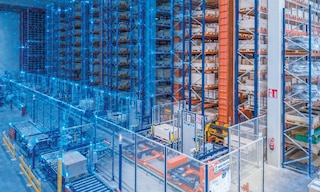
Mistakes in warehouse automation and how to avoid them
Mistakes in warehouse automation can limit a facility’s performance and prevent companies from gaining the full benefits of these technologies. Automation can increase productivity and improve operational accuracy, but its implementation requires an analysis of each business’s specific needs.
This article examines some of the most common mistakes organizations make when undertaking a warehouse automation project and explains how to avoid them.
Why can a warehouse automation project fail?
Automating a warehouse involves more than adding robots, conveyors, and other automated equipment. For a project to deliver the expected results, the technology should suit the facility’s specific characteristics and align with its processes.
A project’s success depends on several factors, including a detailed analysis of operations and a correctly sized solution. It’s also important to coordinate the software and hardware and future-proof the system.
Before deciding which process(es) to automate, it’s necessary to assess the types of goods handled, their characteristics, how they move through the facility, their turnover rate, and where bottlenecks occur. Automation technologies can be applied across an entire warehouse or to specific operations, depending on each facility’s needs.
6 common mistakes in warehouse automation
These are six of the most common mistakes companies make when implementing an automated solution, along with the main ways to avoid them:
1. Automating without first analyzing processes
One of the biggest mistakes in warehouse automation is selecting a technology before gaining a thorough understanding of how the facility and its logistics processes work.
The initial analysis should cover factors such as goods flows, the number and characteristics of SKUs, their turnover, unit loads used, work cycles, the routes taken by associates and material handling equipment, activity peaks, and potential bottlenecks.
Tools such as a spaghetti diagram make it possible to visualize how people and goods move through a facility. They enable companies to identify unnecessary travel and inefficient procedures. This assessment helps pinpoint where time is being lost and which tasks offer the greatest potential for improvement.
2. Automating processes that don’t need it
Automating the entire warehouse isn’t always the most efficient option. In many cases, a company can achieve better results by applying robotics solely to repetitive tasks. Automation can speed up a process, but it won’t necessarily fix one that was poorly designed. If a facility has unnecessary travel paths, poor inventory organization, or redundant procedures, automating them may simply perpetuate those inefficiencies.
Which warehouse processes can be automated? The answer to this question lies in identifying which operations have the greatest potential for improvement and determining the appropriate level of automation for each one. On the one hand, companies can choose to automate specific processes, such as internal transport, storage, or order picking. On the other hand, they can implement a fully automated warehouse when the operation’s volume and characteristics justify it.
3. Overlooking software and automated equipment integration
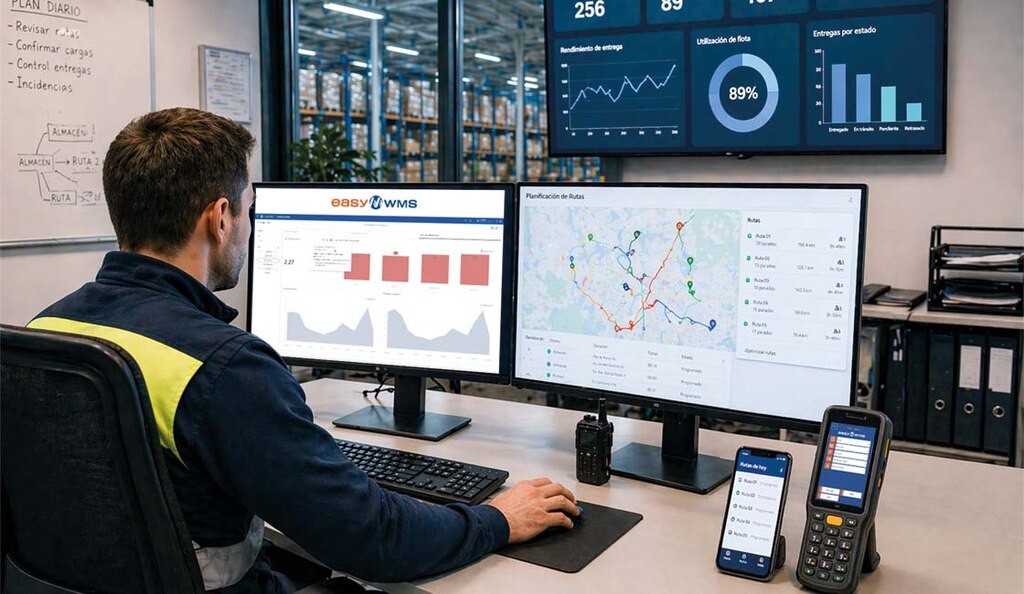
In an automated facility, hardware and digital systems must work together seamlessly. A warehouse management system (WMS) organizes operations and oversees aspects such as inventory, storage locations, and tasks to be performed.
Other specialized solutions also play a role. A warehouse execution system (WES) coordinates and prioritizes internal transport orders throughout the facility. A warehouse control system (WCS) then translates those instructions into equipment movements and supervises how the machinery operates. Together, these software layers connect operational planning with the physical execution of tasks.
The WMS must also exchange information with other business systems, such as ERP software. ERP–WMS integration keeps order and inventory data synchronized while preventing duplicate information.
Poor integration can lead to systems working out of sync, order delays, and difficulties accessing reliable, real-time information. For this reason, the software architecture should form part of the project design from the earliest stages.
4. Failing to plan for future expansions or changes
Warehousing needs evolve. Business growth, new SKUs, changes in unit load formats, and fluctuations in demand can all alter a facility’s needs.
Designing a solution solely around current conditions can limit a warehouse’s ability to pivot to new scenarios. A flexible automation strategy helps anticipate potential changes to operations. Solutions should be able to evolve when it becomes necessary to redirect material flows, add new equipment, or expand the facility.
Modular automation pursues a similar goal. Structuring certain tasks around autonomous modules makes it easier to combine, expand, or replace components without having to transform the entire warehouse. These scenarios can be considered during the design phase to create a logistics infrastructure that can adapt more readily over the long term.
5. Neglecting to plan for disruptions and exceptional scenarios
An automated warehouse should not be designed around the assumption that operations will always run smoothly. What happens if a pallet arrives deformed? How should an item be handled if its identification can’t be read? What if a piece of equipment goes offline? How will the system respond to an exceptional surge in orders?
It’s critical to assess these situations during the design phase so that exception procedures and contingency plans can be put in place. The goal is to prevent a localized incident from causing a disproportionate disruption across the rest of the facility.
Maintenance is another key consideration in an automated operation. Lifecycle management services help ensure system availability and performance throughout its useful life. Measures such as preventive industrial maintenance for automated warehouses help detect potential problems before they cause a breakdown and reduce the risk of unexpected downtime. To be effective, the maintenance plan must be tailored to each automated system’s characteristics, usage level, and specific requirements.
6. Leaving safety out of the design
Warehouse safety and risk prevention shouldn’t be an afterthought — they need to be integrated from the earliest design stages. One advantage of automation is its ability to reduce risks associated with manual operations. Automated solutions can limit employee travel and concentrate certain tasks at workstations designed for interacting with goods. For instance, a high-performance pick station improves ergonomics and minimizes unnecessary load handling.
In addition, properly organizing the facility makes it possible to separate the routes used by associates, forklifts, and automated equipment, avoiding hazards linked to different types of traffic sharing the same space.
Automation and software can also support safer operations by limiting manual intervention in specific tasks. However, technology must be complemented by preventive measures, maintenance, signage, and employee training.
Tips for error-free warehouse automation
To avoid the above-mentioned pitfalls, automation should be treated as an integrated project involving technology, processes, and people. The following practices can help make implementation a success.
Use simulation and digital twin technologies
Simulation tools make it possible to virtually validate a warehouse design before applying it in the real world. Using operational data, companies can test different scenarios and analyze how a facility would perform under varying workloads. This helps identify potential bottlenecks, verify equipment capacity, and assess changes before investing in new equipment.
Interlake Mecalux leverages simulation tools to evaluate the expected performance of its projects. Its technology can recreate virtual warehouses and analyze how they perform under different conditions. Digital twins take this a step further by creating a virtual replica of the facility’s processes and components. They can be used to make predictions and anticipate potential operational challenges based on real-world data.

Apply a preventive maintenance strategy
Equipment availability is one of the factors that affects an automated warehouse’s performance. Therefore, it’s advisable to establish a plan that includes regular inspections, preventive maintenance, and, when the technology allows, predictive strategies based on equipment condition.
Anticipating component wear and scheduling service interventions helps limit unexpected downtime and ensure reliable warehouse performance throughout its useful life.
Train employees to work with automated systems
Automation doesn’t eliminate human involvement. In many cases, it transforms employees’ responsibilities. Operators may shift from carrying out certain physical tasks to supervising processes, interacting with automated workstations, handling exceptions, or using digital tools.
Training helps workers adapt to these new responsibilities, streamlining system utilization and enhancing safety. Interlake Mecalux, for example, offers training services to help users understand how to operate its storage solutions properly.
Continuously monitor and fine-tune the warehouse
Going live is not the end of an automation project. Data generated by the facility allows businesses to see how it performs under real-world conditions and spot opportunities for improvement. Metrics related to cycle times, productivity, utilization, movements, and order fulfillment can help identify deviations from the initial objectives.
Analytics tools support continuous improvement efforts. The capabilities of Interlake Mecalux’s Easy WMS, for instance, can be expanded with Supply Chain Analytics, a software solution designed to provide insight into warehouse performance.
Establish KPIs to evaluate results
Every automation project should begin with measurable objectives. Once the solution is in place, companies need to assess objectively whether it delivers the intended results. To do so, they can establish supply chain KPIs (key performance indicators) linked to the project’s main goals. These may include increasing productivity, minimizing errors, making better use of space, processing more orders, or shortening cycle times, among others.
Comparing warehouse KPIs before and after implementation makes it possible to measure the project’s actual impact and spot areas where there’s still room for improvement.
Develop the project with a trusted provider
Warehouse automation involves coordinating multiple areas, including storage systems, material handling equipment, robotics, software, safety, integration with corporate systems, and maintenance.
For this reason, it’s best to work with a provider that has proven experience in automation projects. It should support the company from analysis and design through commissioning and ongoing support. Choosing a single specialist that can supply and integrate storage systems, automated equipment, and software simplifies project coordination and helps ensure compatibility between the different components.
Interlake Mecalux designs and implements comprehensive intralogistics solutions that combine storage systems, automated equipment, and warehouse management software. Its experience covers projects with varying automation levels and solutions tailored to each company’s operational needs.
Successful automation starts with designing the right solution
Mistakes in warehouse automation are often more closely related to decisions made before and during implementation than to the technology itself. There’s no single formula that works for every facility. The solution must match the characteristics of the goods, logistics flows, and activity volume. In short, the main recommendations are:
- Analyze processes and flows in detail before deciding which operations to automate.
- Ensure seamless integration between the WMS, ERP, and automated equipment.
- Design flexible, scalable solutions that can respond to future changes.
- Plan for disruptions, schedule maintenance downtime, and establish procedures for exceptional situations.
- Consider employee safety and training from the design stage.
- Monitor performance using data and KPIs to verify that the solution is delivering the expected results.